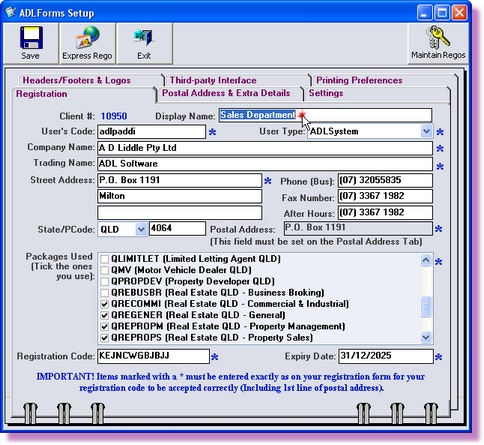
The display name is the name that appears in the 'ADLForms Registration Selection' window when you create, open or print a form through ADLInspect. If you do not have more than one registration on your computer this does not apply to you.
This display name will not change any of the company information on your forms. Please see Change Agent Details if you would like to change these details.
1. |
Open ADLInspect
|
2. |
Select ‘Register ADLInspect’ from the ‘File’ menu within the ADLInspect Manager
|
3. |
Type in the 'Display Name' field the name you want to appear in the 'ADLForms Registration Selection' window when you create, open or print a form through ADLInspect
|
4. |
Click the <Save> button.
|
5. |
Click the <Exit> button to return to the ADLInspect Manager |