Quick Entry Mode was initially made available to accommodate NSW Bond Forms, as we were unable to attain permission to copy those forms, due to each form having its own unique barcode. It is a mode where all fields are displayed in a grid format, allowing you to enter details required to be printed on the form, without having the form display on-screen.
Quick Entry Mode:
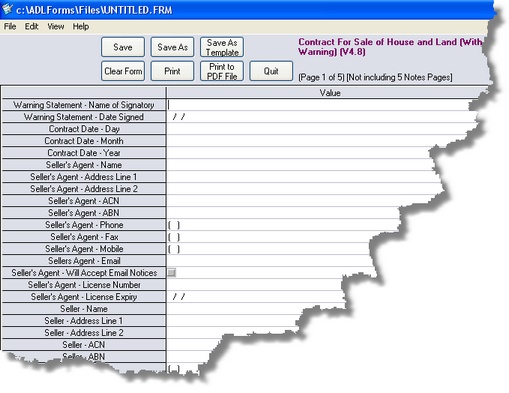
You can view a form in this way by following these steps:
1. |
Click on the <View> menu
|
2. |
Click on <Quick Entry Mode>
To go back to the form entry mode click on the 'View' menu, then click on <Form Entry Mode> |